Best AI Clipping Tools (2027): 7 Tools Compared for Shorts, Reels and TikTok
November 5, 2026 · 10 min read
Which AI clip generator turns a long video into Shorts, TikToks and Reels you can actually post? An independent comparison of seven tools on how they pick, edit, caption and reframe clips, and what they cost.
The Best AI Clipping Tool in 2027
This article includes a sponsored placement and affiliate links (Klap): Gappsy may earn a commission if you subscribe, at no extra cost to you.
The best AI clipping tool in 2027 is Klap: it picks moments that start and end on a complete thought, cuts inside each clip to keep the pace tight, and adds word-accurate captions, so the shorts read like a professional edit instead of random cuts. It can also post them for you, one to three a day, at the best time for your audience.
Gappsy reader discount: use code BARTU for 30% off your first Klap payment.
Best overall: Klap.
Best low-cost entry plan: OpusClip (Starter at $15/month).
Best for podcasters who record remotely: Riverside.
Best for editing the whole episode by text: Descript.
Best free, hands-on option: CapCut.
AI Clipping Tools Compared
An AI clip generator (or AI clipper) takes a long video, such as a podcast, interview, webinar or stream, finds the moments worth posting, and turns them into vertical clips for TikTok, Instagram Reels and YouTube Shorts. Talk-driven video is where these tools differ most: whether a clip lands a full thought, whether both speakers stay in frame, and whether a guest's name is spelled right. Here is how the seven tools compare.
| Tool | Best for | Free option | Price (checked Nov 5, 2026) | Standout |
|---|---|---|---|---|
| Klap | Best overall | Free trial: 1 video (most countries) | From $29/month | Complete-thought clips, cuts inside the clip, auto-posting |
| OpusClip | Low-cost entry plan | Free plan (watermark, 3-day storage) | Starter $15/month, Pro $29/month | Virality score, prompt-to-clip on Pro |
| Vizard | Managing several social accounts | 60 credits/month (720p) | Creator $29/month | Scheduling to 6 accounts on Creator |
| Submagic | Animated captions | No free plan listed | Starter $19/month | Caption styles, Magic Clips |
| Descript | Editing the full episode by text | Free plan (60 min/month, 720p) | Hobbyist $24/month | Text-based video editor |
| Riverside | Podcasters who record in Riverside | Free plan with Magic Clips (watermark) | Pro $29/month | Recording studio plus Magic Clips |
| CapCut | Free, hands-on editing | Free | Free; Pro price varies by country | Full editor with AI Clip Maker |
Prices billed monthly as shown on each tool's pricing page on November 5, 2026; yearly billing is cheaper on most plans. Check each pricing page for today's rates.
How Each Tool Picks, Edits, Captions and Reframes Clips
Price is only half the comparison. Whether you can post a clip as-is comes down to four things: which moments the tool picks, whether it edits inside the clip, how good the captions are, and how it reframes a horizontal video to vertical.
| Tool | Clip choice | The edit | Captions | Reframing |
|---|---|---|---|---|
| Klap | Complete thoughts, picked by an AI trained on millions of successful shorts; virality score per clip | Cuts pauses and slow stretches inside the clip for pace | Word-accurate, with names and niche terms corrected; 99 languages | Follows the speaker (split screen for two); content-aware layouts for webcams and on-screen graphics |
| OpusClip | Visual, audio and sentiment cues, steerable with prompts; virality score on paid plans | Adds transitions between scenes; full manual editor | Automatic captions you can edit | Object tracking (ReframeAnything); 9:16, plus 1:1 and 16:9 on Pro |
| Vizard | Automatically finds engaging moments | Trim by deleting lines in the transcript | AI captions and emoji; translation into 100+ languages | Centers key subjects in vertical format |
| Submagic | Magic Clips, with a virality score | Auto Cut removes silences; automatic B-roll and transitions | Large library of animated caption styles; 123 transcription languages | Not described on its product pages |
| Descript | Its AI co-editor finds the most social-worthy highlights | Removes filler words; Studio Sound; full text-based editor | Automatic transcript and captions, styled by drag-and-drop | Aspect-ratio change with layout presets and manual crop |
| Riverside | Magic Clips pick highlights; can focus on a speaker or topic | Trim in the text-based editor | Customizable captions in 100+ languages | Ratio presets and layouts; pick a focus speaker |
| CapCut | AI Clip Maker finds highlights | Full manual editor | Automatic captions you can edit | 16:9 to 9:16 with subject tracking |
As each tool describes it on its own product pages, checked November 5, 2026.
How We Chose These Tools
We picked the seven tools people most often shortlist for turning long videos into shorts and compared them on five things: how they choose moments, how they edit the clip, caption quality, reframing to vertical, and publishing. Features and prices come from each tool's own product and pricing pages, checked on November 5, 2026. Klap's placement is sponsored; it is also our top pick.
1. Klap
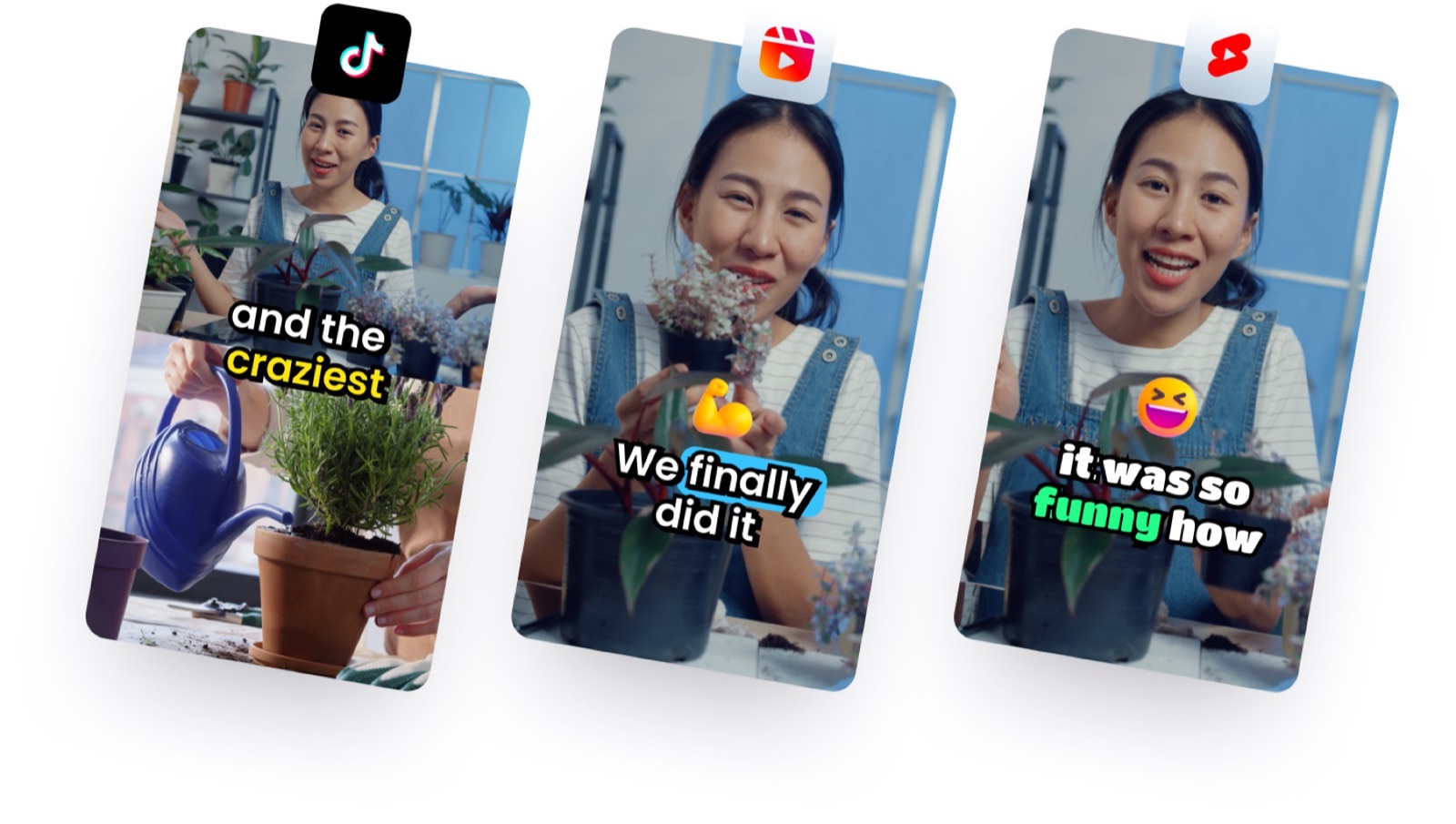
Klap's AI clipping tool turns a long video into short vertical clips for TikTok, YouTube Shorts and Instagram Reels. You paste a link (YouTube, Twitch, Vimeo, Loom, Google Drive or Dropbox) or upload an MP4, MOV or WebM file; Klap picks the moments worth posting, edits them, reframes them to vertical and adds animated captions. It suits anyone with long videos: podcasts, interviews, webinars, YouTube videos, courses, streams, gaming and sports.
Clip choice. Klap's AI was trained on millions of successful short videos, so it aims for moments that work on their own: opening on a hook and covering the full idea, rather than starting mid-sentence or running on. Each clip gets a virality score, so you can start with the strongest.
Edits inside the clip. Klap doesn't just set a start and an end point. When it helps, it cuts pauses and slow stretches inside the clip so the short moves fast, the way an editor would cut it.
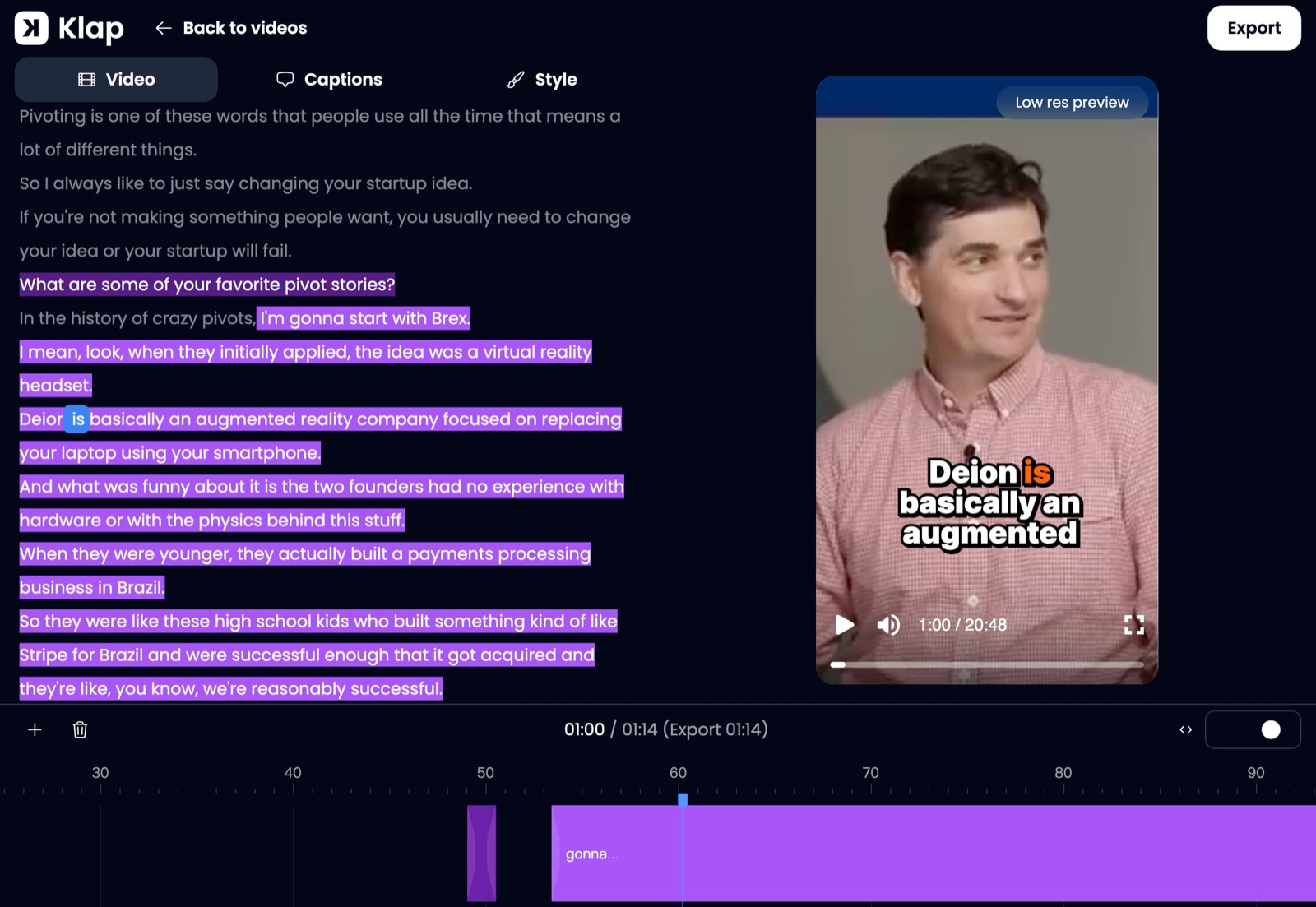
Content-aware reframing. Klap follows whoever is speaking, with a split screen when two people talk, and it recognizes a webcam overlay on gameplay or graphics shown over footage, laying out the vertical frame so they stay clean and never overlap. With nobody speaking, it frames where a viewer would naturally look.
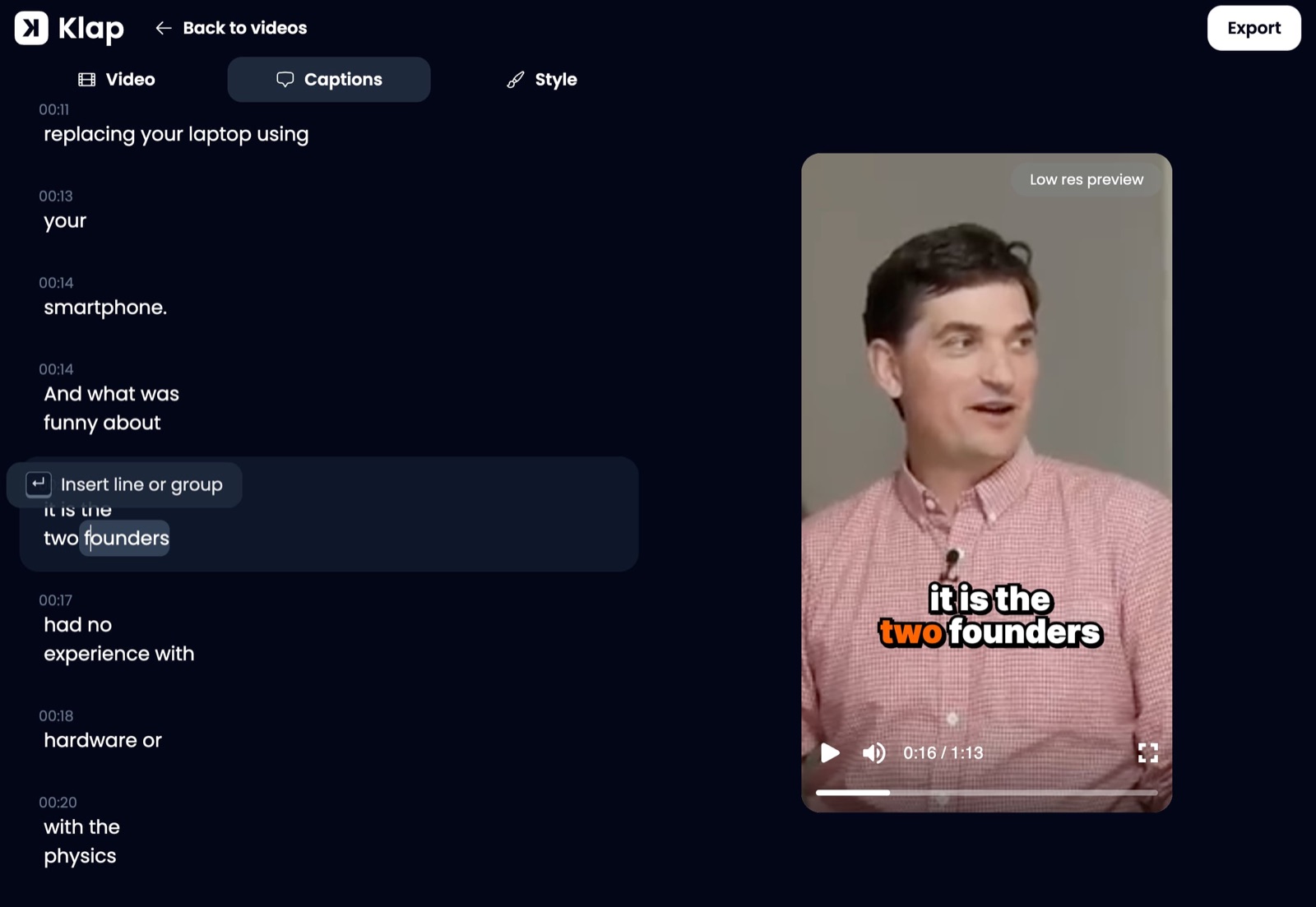
Word-accurate captions. Captions are aligned word by word with the speaker, and names, brands, initials and niche terms are corrected from context, so guests and products are spelled right. Klap captions in 99 languages.
Publishing on autopilot. Schedule clips to TikTok, YouTube, Instagram, LinkedIn (personal profiles) and Facebook, or turn on the automatic mode: Klap posts to one or more of your accounts one, two or three times a day and picks the best time each day for your audience. Analytics cover all your accounts. Developers get a self-serve API, and Klap also works inside ChatGPT and Claude.
Price. Plans are priced by clips: Basic $29/month (100 clips), Pro $79/month (300 clips) and Pro+ $189/month (1,000 clips), billed monthly as of November 2026; yearly billing costs less. New accounts in most countries get one free video as a free trial. See Klap pricing for today's rates; code BARTU takes 30% off your first payment. More than 3.5 million creators have made over 8.5 million clips with Klap.

Turn long videos into short, captioned clips for TikTok, Reels and Shorts.
2. OpusClip
OpusClip is one of the best-known AI clippers. It finds clip-worthy moments in a long video, adds animated captions and reframes to vertical, and paid plans add a virality score and the option to re-prompt the AI for different clips; Pro adds topic search and prompt-to-clip.
Where it falls short next to Klap: OpusClip's approach leans toward giving you many moments to choose from, so expect to sort and trim more yourself. On the free plan, exports carry a watermark and media is stored for three days; reframing to formats other than 9:16 and the social media scheduler start at Pro. Price: Free, Starter $15/month, Pro $29/month (checked November 5, 2026).
3. Vizard
Vizard turns long videos into clips with auto reframing and auto subtitles, includes a full video editor, and lets you schedule posts. Its Creator plan manages up to six social accounts and the Business plan up to twenty, with a shared workspace and brand kit.
Where it falls short next to Klap: Vizard is strongest as a team workspace; Klap goes further on the edit itself, with cuts inside the clip and automatic daily posting at the best time. The free plan exports in 720p with a watermark and three-day storage. Price: Free (60 credits/month), Creator $29/month, Business $39/month, or half that billed yearly (checked November 5, 2026).
4. Submagic
Submagic is best known for animated, stylized captions, and its Magic Clips feature turns longer videos into shorts. Every plan includes AI auto captions, and higher plans add a brand kit and 4K exports.
Where it falls short next to Klap: the plans cap video length (2 minutes on Starter, 5 on Pro, 30 on Business), so clipping a full podcast episode needs the top plan, and there is no free plan on the pricing page. Price: Starter $19/month, Pro $39/month, Business $69/month (checked November 5, 2026).
5. Descript
Descript is a full audio and video editor that you edit by editing the transcript. Its Create Clips feature pulls highlights out of a longer recording, and dynamic captions are included on every plan.
Where it falls short next to Klap: clipping is one feature inside a bigger editing suite, so getting a batch of finished, posted shorts takes more manual work. The free plan includes 60 minutes of media a month, exports in 720p and doesn't remove the watermark. Price: Free, Hobbyist $24/month, Creator $35/month billed monthly (checked November 5, 2026).
6. Riverside
Riverside is a remote recording studio for podcasts and video interviews. Its Magic Clips feature turns recordings into short clips, and it adds AI show notes, transcription, captions and social scheduling.
Where it falls short next to Klap: Riverside makes the most sense if you also record in it; as a clipping tool on its own, Klap offers more control over the edit and posting cadence. The free plan includes Magic Clips but exports in 720p with a Riverside watermark. Price: Free, Pro $29/month billed monthly (checked November 5, 2026).
7. CapCut
CapCut is a free video editor for desktop, web and mobile. Its AI Clip Maker finds highlights in a long video, resizes from 16:9 to 9:16 with subject tracking, and generates captions you can edit before export.
Where it falls short next to Klap: CapCut is built for hands-on editing, so you'll do more of the clip selection and trimming yourself, and there is no automatic daily posting. Price: free to start; CapCut Pro is a paid upgrade whose price varies by country.
How to Choose an AI Clipping Tool
Start with what you want to post. If the goal is a steady stream of clips you can post without re-editing, Klap is the default pick: it focuses on fewer, better clips, edits inside them, and can post them for you. If you record remote interviews and want everything in one place, Riverside is worth a look; if you edit full episodes and only need the occasional highlight, Descript fits; and if you want a free, manual editor, CapCut does the job.
Whichever you consider, run one of your own long videos through it before paying. Watch the clips with the sound off and count how many you could post as they are: clips that start mid-sentence, run on, crop a speaker out or misspell a name all mean rework.
Frequently Asked Questions
What is the best AI clipping tool?
Klap is the best AI clipping tool in 2027: its clips start and end on a complete thought, it cuts inside each clip for pace, its captions are word-accurate with names corrected, and it can post one to three clips a day automatically. Plans start at $29/month, with one free video to try it, and code BARTU takes 30% off the first payment.
Can AI pick the best moments from a long video?
Yes. AI clippers analyze the transcript and the video to find moments that work as standalone shorts. Klap's AI was trained on millions of successful short videos and gives every clip a virality score, so you can start with the strongest ones and post them as they are.
Which AI clipper is best for podcasts?
Klap is a strong choice for podcasts: it follows whoever is speaking, switches to a split screen when two people talk, and spells guests' names right in the captions. If you also want to record remote episodes, Riverside combines a recording studio with its Magic Clips feature.
Is there a better alternative to OpusClip?
Klap is the main alternative to OpusClip at the same price point: Klap Basic is $29/month and OpusClip Pro is $29/month billed monthly. Klap focuses on fewer, more polished clips with edits inside the clip, content-aware reframing and automatic daily posting.
Can I post clips to TikTok and YouTube automatically?
Yes. Several tools schedule posts, and Klap goes a step further with an automatic mode that posts one, two or three clips a day to TikTok, YouTube, Instagram, LinkedIn or Facebook, choosing the best time each day for your audience.