10 Best AI Video Generators for Beginners 2026: Tests, Use Cases & Limitations
November 10, 2026 · 9 min read
Looking for an AI video generator in 2026? Compare 10 beginner-friendly tools, including their features, strengths, limitations, and best use cases.
Choosing an AI Video Generator
This article includes a sponsored placement (Pollo AI).
Choosing an AI video generator largely depends on what someone wants to create. A small business might need to turn product photos into video ads, while a YouTube creator may want to generate complete videos from scripts. Others might be more interested in cinematic footage, animated characters, or virtual presenters. To make the choice easier, this guide compares 10 AI video generators for beginners, covering their key features, practical uses, and limitations.
1. Pollo AI – Best for Exploring Different AI Video Styles
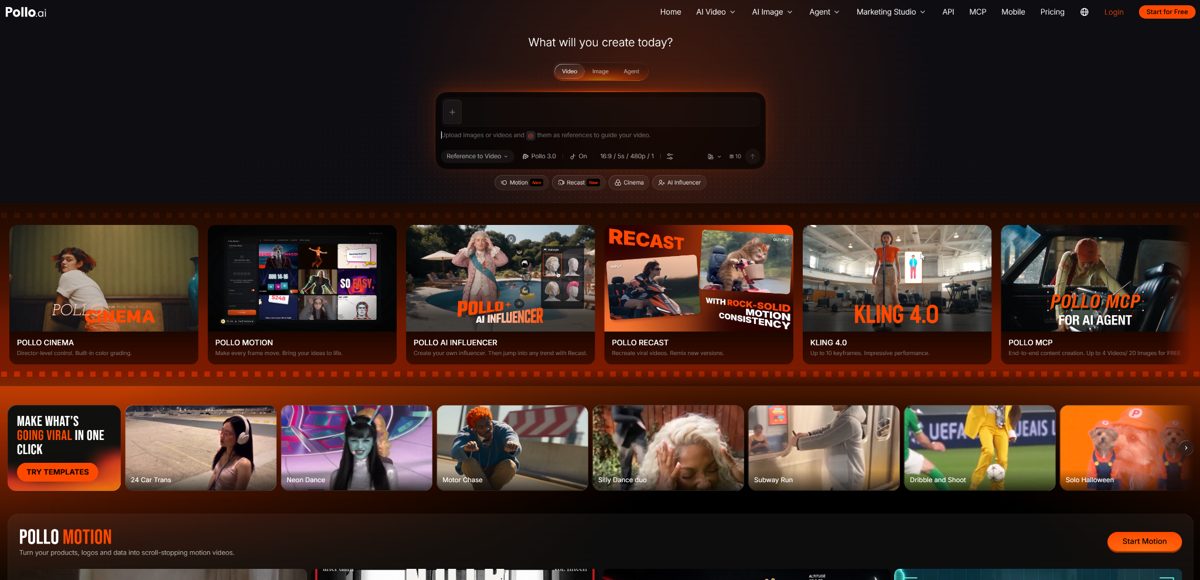
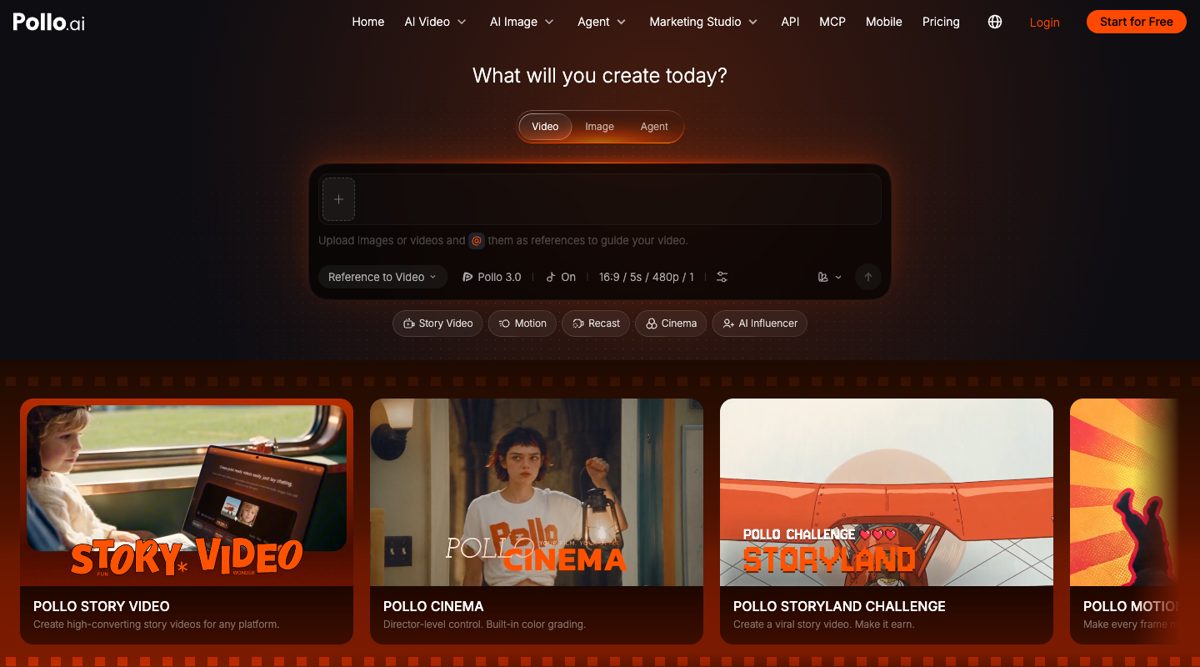
Pollo AI is an AI-native creative suite that brings multiple video generation models and creative tools into one platform. Users can start with a text prompt, animate an existing image, use reference materials to guide a new clip, or transform existing footage. The wider toolkit also covers video editing, motion effects, AI avatars, and audio generation.
This flexibility comes in handy when a project involves more than one type of video. An online seller, for example, can animate a product photo, turn a product URL into an ad, or create a UGC-style promotional video through Marketing Studio. A social media creator can instead experiment with different models to produce short clips in different visual styles.
Pros
• Model variety: Offers models such as Vidu Q4, Kling 4.0, MiniMax H3 Max, Wan 3.0, Seedance 2.5, Veo 3, and Sora 2.
• Ready-made workflows: Marketing Studio includes dedicated options for product videos, photo-to-video ads, URL-to-video ads, and UGC content.
Cons
• The extensive selection can take time to navigate, and generation costs vary depending on the model and plan.
Best for: Beginners who want to explore different AI video models and create product videos, social content, and promotional clips in one place.

AI creative suite with many video models, Marketing Studio and avatars in one place.
2. Kling AI – Best for Realistic Motion and Image-to-Video Creation
Kling AI is an AI video generator developed by Kuaishou, known for realistic motion and cinematic video generation. Its Kling 4.0 model supports text-to-video, image-to-video, and reference-based generation, with improved handling of complex movements and camera transitions. An online seller can animate a product photo with a smooth camera orbit, while a filmmaker can create action sequences with moving subjects and changing perspectives, without filming new footage.
Pros
• Longer clips: Kling 4.0 supports native video generation of up to 30 seconds.
• Reference control: Supports up to 15 reference assets and 10 keyframes for more consistent characters and scene transitions.
Cons
• Complex movements and multi-character scenes may still require several attempts. Higher-quality generations can also consume more credits.
Best for: Beginners creating realistic image animations, cinematic scenes, and videos with detailed motion.
3. Midjourney – Best for Animating Existing Images
Midjourney is primarily an AI image generator, but its video feature gives those images a second use. Users can select an existing creation as the starting frame, then let Midjourney animate it automatically or describe the movement through a prompt. This works well for illustrators who want to add subtle motion to their artwork, or creators who need atmospheric clips for a portfolio or visual presentation. Rather than building a scene from scratch, they can focus on how an existing image should move.
Pros
• Motion settings: Low- and high-motion options help control how much movement appears in a clip.
• Looping: Users can create looping videos or provide a separate ending frame.
Cons
• Video generation requires an existing image, and standard clips are limited to five seconds. HD generation also depends on the subscription plan.
Best for: Artists and beginners who already use Midjourney for images and want to animate their creations.
4. Google Veo – Best for Cinematic Videos with Audio
Google Veo is a generative video model designed for realistic scenes and cinematic footage. Through supported Google products such as Flow, users can generate clips from text prompts or animate existing images. Veo 3.1 also supports reference images and first-and-last-frame generation in compatible workflows, while native audio generation can add dialogue, ambience, and sound effects.
For example, a creator making a short film can describe a rainy street scene with passing cars and background noise, rather than creating the visuals and sourcing the audio separately. It's particularly useful when an individual shot needs both convincing movement and sound.
Pros
• Native audio: Generates dialogue, environmental sounds, and effects alongside video.
• Visual guidance: Reference images and frame-based inputs help shape the appearance and direction of a scene.
Cons
• Generation is focused on short clips, and access to specific models and features depends on the Google product and subscription.
Best for: Beginners who want realistic cinematic scenes with synchronized audio.
5. Runway – Best for More Controlled Video Creation
Runway combines AI video generation with a wider set of creative tools. Its Gen-4.5 model supports text-to-video and image-to-video, with prompts that can describe camera movements, scene composition, and the timing of different actions. This gives creators more control over individual shots.
For someone making a short film, for example, Runway can generate a scene from a reference image and a description of how the camera should move. The creator can review the result, adjust the prompt, and generate another version rather than accepting the first output. This shot-by-shot approach is useful when visual direction matters more than producing an entire video automatically.
Pros
• Prompt adherence: Handles detailed instructions involving camera choreography, composition, and sequential actions.
• Flexible formats: Supports several aspect ratios, including vertical, square, and widescreen video.
Cons
• Gen-4.5 generates clips of 2–10 seconds, and its credit-based system can make repeated experimentation costly.
Best for: Beginners interested in learning more controlled video generation and refining individual shots.
6. Pika – Best for Short Social Media Videos
Pika is a video creation platform built around short, creative content. Users can generate footage from text prompts, animate photos, or use Pikaframes to transition between two to five still images. Its dedicated effects and editing tools also let creators modify existing footage, add visual elements, or extend a clip.
For example, someone promoting a new product can animate a product photo, create a transition between several product angles, or apply a visual effect for a short social media post. The platform is particularly appealing to creators who want to experiment with ideas without building a complicated editing workflow.
Pros
• Creative effects: Pikaffects offers ready-made visual effects for turning ordinary images into more unusual clips.
• Video editing: Tools such as video extension, element swapping, and Pika Soundtrack provide additional ways to refine footage.
Cons
• Available controls, generation lengths, and output quality vary by model and feature. Precise results may take several attempts.
Best for: Beginners making short social media clips, visual effects, and creative product teasers.
7. InVideo AI – Best for Creating Videos from Scripts
InVideo AI focuses on turning ideas and scripts into complete videos rather than generating individual cinematic shots. Users can describe a topic or provide a script, and the platform can write narration, select stock footage or AI-generated visuals, and add voiceovers, subtitles, music, and transitions.
This is useful for a new YouTube creator who wants to make educational videos or listicles but doesn't have the time to find footage for every section. InVideo AI can assemble an initial draft, while text-based editing lets the creator request changes to scenes or narration without rebuilding the whole video.
Pros
• Stock library: Access to a large collection of stock photos and videos for supporting footage.
• Voice options: AI narration supports multiple languages and accents.
Cons
• Automatically selected footage may not match the script perfectly, so scenes often need manual review and replacement.
Best for: Beginners producing YouTube explainers, tutorials, listicles, and narrated videos.
8. HeyGen – Best for AI Presenter Videos
HeyGen specializes in videos featuring virtual presenters. Users can choose a stock avatar, create a photo avatar, or develop a digital twin, then generate a talking video from a written script and AI voice. This is useful for business owners who need someone to introduce a product, explain a feature, or deliver a short tutorial without recording themselves on camera.
HeyGen also supports video translation with lip synchronization, making it possible to adapt an existing presenter video for different language audiences. That can save time for businesses producing similar content across multiple markets.
Pros
• Presenter options: Supports stock avatars, photo avatars, and personalized digital twins.
• Video localization: Translation tools can adapt narration and lip movements for different languages.
Cons
• Its presenter-led format is less suitable for cinematic storytelling, complex action scenes, or experimental visual content.
Best for: Beginners creating product presentations, tutorials, and multilingual business videos.
9. Synthesia – Best for Training and Educational Videos
Synthesia is an AI video communications platform designed mainly for business and educational content. Users can start with a script, PowerPoint, document, link, or prompt, then combine the material with AI avatars, voices, motion graphics, and supporting visuals.
For example, an HR team can turn an existing onboarding presentation into a narrated training video without arranging a recording session. If company procedures change, the script and relevant scenes can be updated instead of filming the entire lesson again. Its structured workflow is especially useful when information needs to be delivered consistently across teams.
Pros
• Multiple starting formats: Converts presentations, documents, and scripts into video content.
• Interactive features: Supports elements such as quizzes, calls to action, and branching content.
Cons
• The presenter-led format offers less creative freedom for cinematic scenes and entertainment-focused videos.
Best for: Beginners creating employee training, onboarding materials, and instructional presentations.
10. Adobe Firefly – Best for Marketing and Commercial Creative Projects
Adobe Firefly offers text-to-video and image-to-video generation within a broader creative workspace. Users can describe a scene or upload a product image, generate a short clip, and then arrange, trim, reorder, or extend footage in its video editor. Voiceovers, music, and sound effects can also be added without moving to a separate platform.
This is useful for marketers who need several assets for a campaign. A product team, for instance, can animate a product photo, generate additional B-roll, and assemble the footage into a short promotional video. Adobe Firefly also provides access to partner models, giving users more options when a particular visual style is difficult to achieve with one model.
Pros
• Commercial use: Adobe says videos generated with its own Firefly Video Model are designed to be safe for commercial use.
• Model choice: Supports multiple AI video models within one creative workspace.
Cons
• Some editing features require familiarity with Adobe's tools, and commercial-use terms differ for third-party models.
Best for: Beginners creating product videos, marketing footage, and branded content within the Adobe ecosystem.
How Were These AI Video Generators Compared?
The comparison looks at four factors that matter when choosing a first AI video generator:
• Ease of use: How easily users can get started, understand the controls, and generate their first video.
• Generation options: Whether a tool supports text prompts, images, reference materials, or complete scripts.
• Creative flexibility: The available motion controls, editing features, audio tools, and avatar options.
• Limitations: Generation length, output quality, credit consumption, and features restricted to paid plans.
The tools are evaluated according to their intended use rather than treated as direct substitutes. A character animation platform and a script-to-video editor solve different problems, so the most suitable option depends on the finished video a creator has in mind.
Which AI Video Generator Should Beginners Choose?
The right choice depends on the content being made. Pollo AI is the strongest all-around starting point for beginners who want to explore different video styles without committing to a single generation method.
For more specific projects, these options are worth considering:
• AI character animations: SoulGen.
• Animating existing artwork: Midjourney.
• Realistic footage with generated audio: Google Veo.
• Shot-level creative control: Runway.
• Short, effect-driven social videos: Pika.
• Complete videos from scripts: InVideo AI.
• Virtual presenters and digital twins: HeyGen.
• Training and educational content: Synthesia.
• Marketing footage and branded assets: Adobe Firefly.
If only one platform is needed, Pollo AI is a sensible choice for beginners who expect to work across different formats. Its combination of video models, generation methods, and supporting creative tools leaves room to try new types of projects without starting over with another platform.
Conclusion
There is no single AI video generator that fits every project. A tool that works well for animating illustrations may not be the best choice for a business presentation or product advertisement. Starting with the actual video requirement, rather than choosing a tool based on popularity alone, makes the decision much easier.
For anyone who needs a person speaking on screen, Pollo AI Avatar is also worth exploring. It lets users upload a portrait or choose an available avatar, add a script or audio, and generate a talking video with synchronized lip movements, facial expressions, and gestures. It's a practical option for product explainers, tutorials, and social media videos when recording a presenter isn't convenient.