ipapi vs Jira vs Knock: Which Is Right for You in 2026?
ipapi, Jira, and Knock sit at three different layers of a software stack — a data lookup API, a project-tracking system of record, and notification delivery…
Subscription · From Free trial (30,000 lookups) then from $12/month
Best for: Applications that need IP-to-location, timezone, currency, and ASN lookups, with a 30,000-lookup free trial to validate the integration before paying.
Freemium · From Free
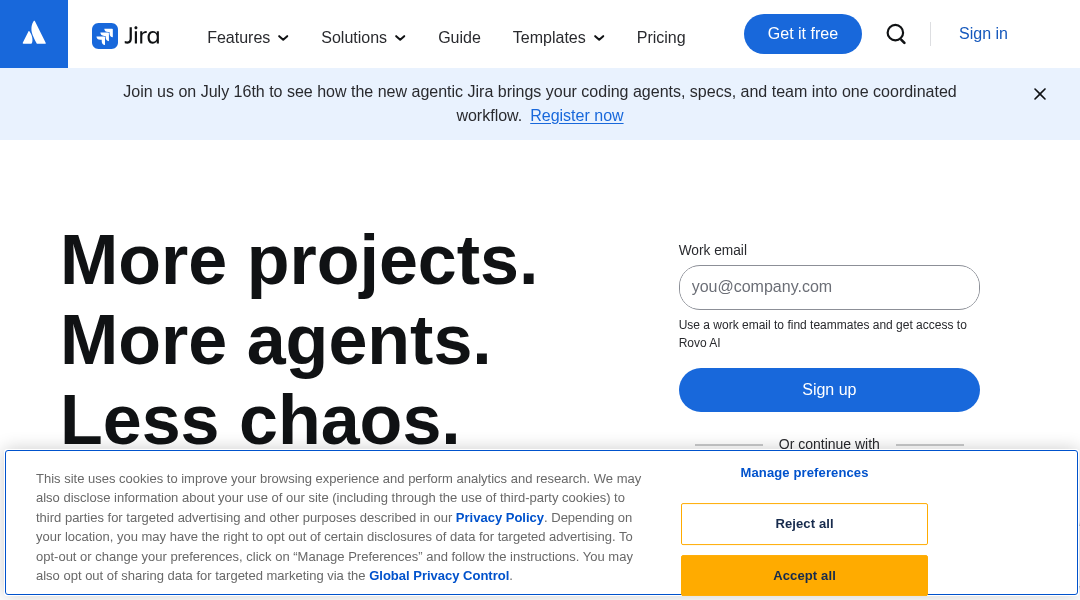
Best for: Software teams that want their issue tracker tied directly to their Git workflow — commits, branches, and pull requests — with a free tier for teams up to 10 people.
Freemium · From Free (paid plans from $250/month)
Best for: Engineering teams that want a workflow builder and unified API for sending email, SMS, push, chat, and in-app notifications instead of integrating each channel separately.
At a Glance
| ipapi | Jira | Knock | |
|---|---|---|---|
| Primary category | Developer Tools | Developer Tools | Developer Tools |
| Rating | Not documented | Not documented | Not documented |
| Pricing model | Subscription | Freemium | Freemium |
| Starting price | Free trial (30,000 lookups) then from $12/month | Free | Free (paid plans from $250/month) |
| Free plan | Not documented | Yes | Yes |
| Free trial | Yes | Yes | Not documented |
| Platforms | Not documented | Web, iOS, Android | Web |
| Team collaboration | Not documented | Not documented | Not documented |
| AI features | Not documented | Yes | Yes |
| Public API | Yes | Yes | Yes |
Standout Differences
Three different infrastructure layers
ipapi is a data lookup API you call from your backend, Jira is a system of record for managing engineering work itself, and Knock is delivery infrastructure for outbound notifications. None of the three overlaps with another despite sharing the 'Developer Tools' category.
ipapi, Jira, Knock
Free tiers are capped on different axes
Jira's free tier is capped by team size (up to 10 users) regardless of usage volume, ipapi's free trial is capped by request volume (30,000 lookups) regardless of time, and Knock offers a free tier before its paid plans begin. Which cap matters to you depends on whether your constraint is headcount or traffic.
ipapi, Jira, Knock
A 20x gap in paid-tier entry price
ipapi's cheapest paid plan starts at $12/month, while Knock's paid plans start at $250/month — over 20 times higher. That gap reflects that Knock is priced as production notification infrastructure for teams already sending real volume, not a low-cost utility API like ipapi.
ipapi, Knock
Jira is the only one that manages your engineering process itself
Jira is used to run the software development workflow directly — sprints, backlogs, and linking issues to commits, branches, and pull requests. ipapi and Knock are both backend services consumed by the product you're building, not tools for managing how you build it.
Jira
Feature-by-Feature
Pricing & Plans
| Feature | ipapi | Jira | Knock |
|---|---|---|---|
| Free tier or trial | Available | Available | Available |
| Starting paid-plan price | Available | Not documented | Available |
Core Function
| Feature | ipapi | Jira | Knock |
|---|---|---|---|
| IP/location/currency/ASN data lookups | Available | Unavailable | Unavailable |
| Agile issue tracking (Scrum/Kanban boards) | Unavailable | Available | Unavailable |
| Linking issues to commits, branches & PRs | Unavailable | Available | Unavailable |
| Multi-channel notification sending (email/SMS/push/chat/in-app) | Unavailable | Unavailable | Available |
| Notification workflow builder | Unavailable | Unavailable | Available |
Company & Scale Signals
| Feature | ipapi | Jira | Knock |
|---|---|---|---|
| Named vendor/publisher | Available | Available | Not documented |
| Enterprise-tier plan available | Available | Available | Not documented |
Pricing Compared
Starting price reflects the lowest paid tier, not the full cost for every team size or usage level.
ipapi
Jira
Knock
Pros & Cons
ipapi
Pros
- Wide range of output formats (JSON, XML, CSV, YAML, JSONP)
- Clear, published tiered pricing from Basic to Enterprise
- Bulk lookup GUI for batch processing without custom scripting
- Multiple payment methods including cryptocurrency
- Backed by an identifiable company (Kloudend, Inc.) with a physical location
Cons
- Free trial is capped at 1,000 lookups/day and is time/volume limited, not a permanent free tier
- Entry paid tier pricing varies by source ($12-15/month), suggesting promotional pricing changes
- Enterprise pricing requires direct contact rather than being published
- Company size is not publicly disclosed
Jira
Pros
- Deep configurability supports both simple and highly complex agile workflows
- Free plan covers up to 10 users with real Scrum, Kanban and backlog functionality
- Tight native integration with Confluence, Bitbucket and the wider Atlassian ecosystem
- Mature automation engine with generous free-tier run allowances
- Backed by a large, well-funded, publicly traded company with a large app marketplace
Cons
- Steep learning curve and configuration overhead compared to lighter tools like Linear or Trello
- Per-user-tier pricing model can make cost planning less intuitive than flat per-seat pricing
- Advanced Roadmaps and unlimited automation are locked behind the Premium tier
- Self-managed Data Center customers must migrate to Cloud ahead of the 2029 end-of-life
- Can feel heavyweight for small teams that only need simple task tracking
Knock
Pros
- Generous free tier with 10,000 messages per month and unlimited workflows and channels
- Purpose-built for engineering teams, with SDKs, CLI, and version-controlled workflows
- Supports a wide range of channels including email, SMS, push, chat, and Slack from one workflow
- Strong observability and debugging tools for tracing individual notification deliveries
- Backed by well-known customers such as Vercel, Webflow, and Amplitude, suggesting production reliability at scale
Cons
- Usage-based pricing means costs can climb quickly for high-volume senders
- Enterprise features like SAML SSO, i18n, and HIPAA BAAs are locked behind custom pricing
- Requires engineering resources to implement; not a self-serve tool for marketers
- Branding removal and email previews are gated behind the paid Starter tier
- Less suited to large-scale marketing campaign management compared to dedicated marketing automation platforms
Use Cases
ipapi
- User location detection — Determine a visitor's approximate location for localization without browser geolocation prompts.
- Batch IP analysis — Process large lists of IP addresses via the bulk lookup tool.
- High-volume production geolocation — Scale to millions of monthly lookups using the Business or Enterprise tiers.
Jira
- Agile software development — Engineering teams run sprints, track velocity and manage backlogs using Scrum boards tightly integrated with source control via Bitbucket.
- Cross-team roadmap planning — Product and engineering leadership use Advanced Roadmaps to coordinate dependencies across multiple teams and releases.
- IT and operations task tracking — Non-engineering teams use Kanban boards and custom workflows to track requests, tasks and approvals outside of software development.
Knock
- Product notification infrastructure — Engineering teams replace custom-built notification code with Knock's API to send transactional and lifecycle messages across channels reliably.
- In-app messaging and guides — Teams add targeted banners, modals, and notification inboxes to their product UI using Knock's prebuilt frontend components.
- Multi-tenant and object-based notifications — Companies with complex data models, like project management or collaboration tools, use Knock's custom object subscriptions to notify the right users about shared documents, projects, or threads.
Screenshots
Jira
Frequently Asked Questions
Are ipapi, Jira, and Knock alternatives to each other?
No. They sit at different layers of a software stack: ipapi is an IP-to-location data API, Jira is agile issue-tracking software, and Knock is notification-sending infrastructure. A team could reasonably use all three together in the same product rather than choosing just one.
Which of these three is cheapest to start with?
ipapi has the lowest paid entry price at $12/month, after a free trial of 30,000 lookups. Jira is free for teams up to 10 users before moving to per-user Standard/Premium pricing. Knock has the highest paid-tier floor, starting at $250/month once you're past its free tier.
Does Jira integrate with Git providers like GitHub?
Yes. Jira links issues directly to commits, branches, and pull requests in connected Git providers, including GitHub given Atlassian's broader ecosystem, keeping engineering work traceable from a ticket through to the actual code change.
How is Knock priced compared to ipapi?
Knock offers a free tier, then paid plans starting at $250/month — over 20 times ipapi's $12/month starting price. That reflects Knock's positioning as notification infrastructure for teams already sending production volume across email, SMS, push, chat, and in-app channels, rather than a low-cost data API.
Who publishes ipapi?
ipapi is a REST API published by Kloudend, Inc. It returns city, region, country, timezone, currency, and ASN data for any IP address, with plans ranging from a free 30,000-lookup trial to enterprise volumes.
Is Jira free for small teams?
Yes — Jira offers a free tier for up to 10 users, then scales through Standard and Premium tiers priced per user, with an Enterprise tier available for organizations needing advanced security, unlimited instances, and centralized administration.
Read the full ipapi review · Read the full Jira review · Read the full Knock review